



TerraMaster NAS RAID Array Recovery - RAID Data Recovery
If you own a TerraMaster NAS device, you know how valuable it is for storing and accessing your data. Whether you use it for personal or business purposes, your NAS device contains important files that you don't want to lose. However, sometimes accidents happen, and your NAS device may fail or get damaged. This can result in data loss or corruption, which can be devastating for your work or personal life.
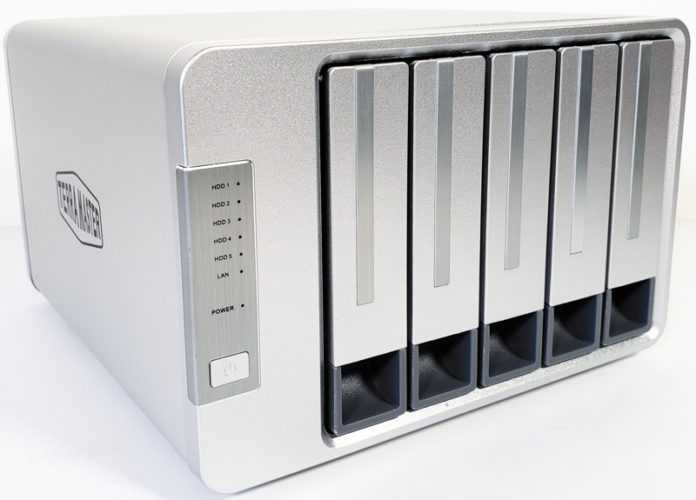
Fortunately, there is a solution for recovering data from TerraMaster NAS devices. You don't have to give up on your data or spend a fortune on replacing your NAS device. You just need to contact a FixmyData service that specializes in TerraMaster NAS devices. They have the expertise, tools, and experience to handle any kind of data loss scenario and recover your data safely and efficiently.
TerraMaster NAS RAID Array Data Recovery Process: How We Work for Our Clients
1.You Ship
Bring or mail your failed storage media to our office for a free diagnostic evaluation.
2.You Approve
Receive and approve an all-inclusive quote for us to begin the recovery process immediately.
3.We Recover
Give us a few days to recover your data and copy it onto free return media.
4.We Deliver
Pick up your data, copy it to your computer, and enjoy our free post-recovery support.
Why Choose a Professional TerraMaster NAS Data Recovery Service?
You might be tempted to try to recover your data yourself or use some software tools that claim to do it. However, this can be risky and ineffective for several reasons:
- You may not have the technical skills or knowledge to perform the data recovery process correctly. You could end up causing more damage to your NAS device or overwriting your data.
- You may not have the proper equipment or environment to handle your NAS device. You could expose it to dust, moisture, static electricity, or other hazards that could harm your data.
- You may not have the time or patience to deal with a complex and lengthy data recovery process. You could waste hours or even days trying to recover your data, while risking further data loss or corruption.
- You may not be able to guarantee the success of your data recovery. You could end up with partial, corrupted, or unusable data, or no data at all.
How to Choose a Professional Data Recovery Service?
Not all data recovery services are the same. Some may claim to be experts in TerraMaster NAS devices, but they may not have the credentials, reputation, or results to back up their claims. To ensure that you choose a reliable and reputable data recovery service for your TerraMaster NAS device, you should consider the following factors:
- Experience: How long have they been in the data recovery industry? How many cases of TerraMaster NAS devices have they handled? What is their success rate and customer feedback?
- Equipment: What kind of tools and techniques do they use to recover data from TerraMaster NAS devices? Do they have the latest technology and software? Do they work in clean rooms and laboratories?
- Service: How do they treat their customers? Do they offer free assessment and quote? Do they have a "no data, no fee" policy? Do they provide updates and communication throughout the process? Do they offer confidentiality and quality assurance?
- Price: How much do they charge for their data recovery service? Are there any hidden fees? Do they offer any discounts or promotions?
By comparing different data recovery services based on these factors, you can find the one that best suits your TerraMaster NAS device. You can also ask for referrals from friends, family, or colleagues who have used their services before.
Steps in the TerraMaster NAS Data Recovery Process
If you choose FixmyData, we will guide you through the data recovery process for your TerraMaster NAS device. The general steps involved are as follows:
1. Initial Consultation and Assessment
FixmyData service will gather information about the data loss incident, including your TerraMaster NAS model, the nature of the problem, and any error messages encountered.
2. Evaluation and Analysis
Upon receiving your TerraMaster device, FixmyData experts will conduct a thorough evaluation to assess the extent of data loss and identify the root cause. We may need to repair or replace faulty hardware components before proceeding with the recovery process.
3. Data Recovery Attempt
Using specialized tools and techniques, the FixmyData service will attempt to retrieve the lost data from your TerraMaster NAS. We will work meticulously to recover as much data as possible, employing various strategies such as logical recovery, file carving, or rebuilding the RAID array if applicable.
4. Data Verification and Transfer
After the recovery process, the service provider will verify the integrity and completeness of the recovered data. They may provide you with a list of recovered files for review and validation. Once you confirm the accuracy of the data, they will securely transfer the recovered files to a suitable storage medium of your choice.
5. Return of Recovered Data
FixmyData will securely package and return the recovered data to you, ensuring its confidentiality and protection during transit. They can also provide guidance on how to restore the data to your TerraMaster NAS device to ensure a smooth recovery process.
Preventing Future Data Loss
While data recovery services can help retrieve lost data, it is always advisable to implement proactive measures to prevent data loss in the first place. Consider the following best practices for maintaining data integrity on your TerraMaster NAS:
- Regularly back up your data to external storage devices or cloud-based backup services.
- Implement RAID configurations to provide redundancy and protect against drive failures.
- Keep your TerraMaster NAS firmware and software up to date to benefit from security patches and performance improvements.
- Invest in a reliable uninterruptible power supply (UPS) to protect your NAS from power surges and outages.
- Enable data scrubbing and SMART (Self-Monitoring, Analysis, and Reporting Technology) to identify and address potential disk issues.
- Implement robust user access controls and regularly review and update user permissions to prevent unauthorized access and accidental deletions.
When selecting hard drives for your TerraMaster NAS, several reputable brands and models are available, each offering unique features to meet your specific needs. Some recommended hard drives for TerraMaster NAS devices include:
- Seagate IronWolf: Designed specifically for NAS use, Seagate IronWolf hard drives offer excellent performance and reliability. With a wide range of capacities to suit various storage needs, they integrate seamlessly with TerraMaster NAS systems.
- Western Digital Red: Another popular choice for NAS applications, Western Digital Red hard drives strike a balance between reliability and cost-effectiveness. They are known for their smooth performance and data protection features, making them a reliable option for TerraMaster NAS.
- Toshiba N300: Toshiba's N300 series caters to NAS environments with high-speed data transfer rates and enhanced durability. These hard drives come in various capacities, making them suitable for different TerraMaster NAS configurations.
- Seagate IronWolf Pro: For those seeking top-tier performance and robust data protection, Seagate IronWolf Pro hard drives are an excellent choice. They feature larger caches and longer warranties, making them ideal for demanding NAS setups.
- Western Digital Red Pro: Western Digital Red Pro hard drives are designed for professional NAS applications, offering enhanced performance and reliability. While they may come at a higher price point, their superior features make them an excellent choice for critical data storage in TerraMaster NAS systems.
Before making a final decision, ensure that the chosen hard drives are compatible with your specific TerraMaster NAS model. Refer to the TerraMaster official website for a complete list of compatible hard drives to ensure seamless integration and optimal performance for your NAS setup.
By following these practices, you can minimize the risk of data loss and ensure the long-term integrity and availability of your valuable data.
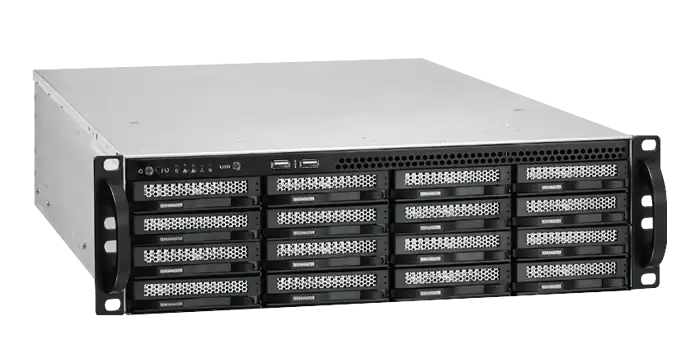
Losing data from a TerraMaster NAS device can be a stressful and frustrating experience. However, you don't have to panic or despair. You can recover your data by contacting a professional data recovery service that specializes in TerraMaster NAS devices. They can help you restore your data safely and efficiently, without risking any further damage or loss.
If you need help with recovering your data from a TerraMaster NAS device, contact us today. We are a leading data recovery service with the expertise, tools, and experience to handle any kind of data loss scenario and recover your data from any kind of NAS device. We offer free assessment and quote, "no data, no fee" policy, confidentiality agreement, and quality assurance certificate. We also have a friendly and helpful customer service team that will keep you informed and updated throughout the process.
Don't let your data go to waste. Contact us today and let us help you recover your data from your TerraMaster NAS server.
Latest Publications
Ransomware data rescue: in-depth analysis and professional recovery strategies
Read more..
Data recovery technology frontier: a comprehensive solution from physical failure to logical repair
Read more..
Server RAID data recovery: the last line of defense guarding enterprise core data
Read more..