



Synology NAS RAID Array Recovery - RAID Data Recovery
Professional Synology NAS recovery is one of the services offered by FixmyData for business users facing serious problems with cloud storage. Utilizing state-of-the-art technologies, a team of certified technicians hired from all over the globe can recover complete information from Synology NAS that other companies deem hopeless for recovery.
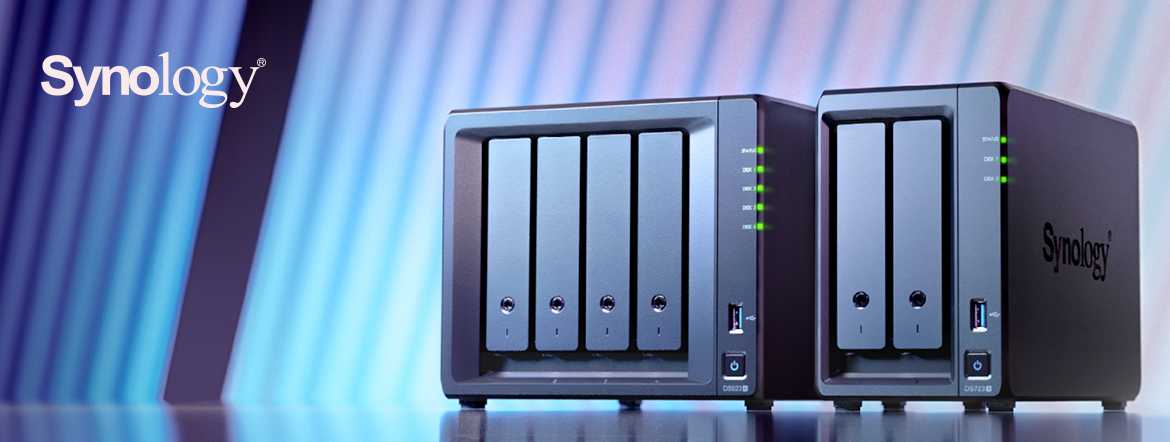
Synology Network Attached Storage is renowned worldwide for being a reliable and robust platform for secure data processing and network management. Many small, medium, and large-sized businesses choose NAS or SAN to enhance data processing capabilities and ensure the security of crucial information. Another benefit is that network-attached storage is affordable not only for large corporations but also for small businesses and home networks. Specifically, Ethernet-based iSCSI SAN doesn't rely on complicated hardware advantages, making it the best choice for big companies and media centers.
Synology NAS RAID Array Data Recovery Process: How Our Services Work
1.You Ship
Bring or mail your failed storage media to our office for a free diagnostic evaluation.
2.You Approve
Receive and approve an all-inclusive quote for us to begin the recovery process immediately.
3.We Recover
Give us a few days to recover your data and copy it onto free return media.
4.We Deliver
Pick up your data, copy it to your computer, and enjoy our free post-recovery support.
Synology Network Attached Storage uses unique tools to organize storage space. These tools are volumes and disk groups. The former is used to store important files since volumes are nothing more than basic storage space. Meanwhile, disk groups represent combinations of hard drives working as a single RAID array.
To ensure 24/7 access to critical data and make volume deployment comfortable and safe, Synology drives use proprietary RAID configurations. SHR or Synology Hybrid RAID is a unique system designed for optimal RAID management and data storage expansion.
Our Experts Are Ready to Recover Data from Your Failed Synology NAS RAID Array
Depending on the purpose, Synology drives can be used as NAS or SAN, making them an ideal platform for lightning-fast data processing and backup of important information.
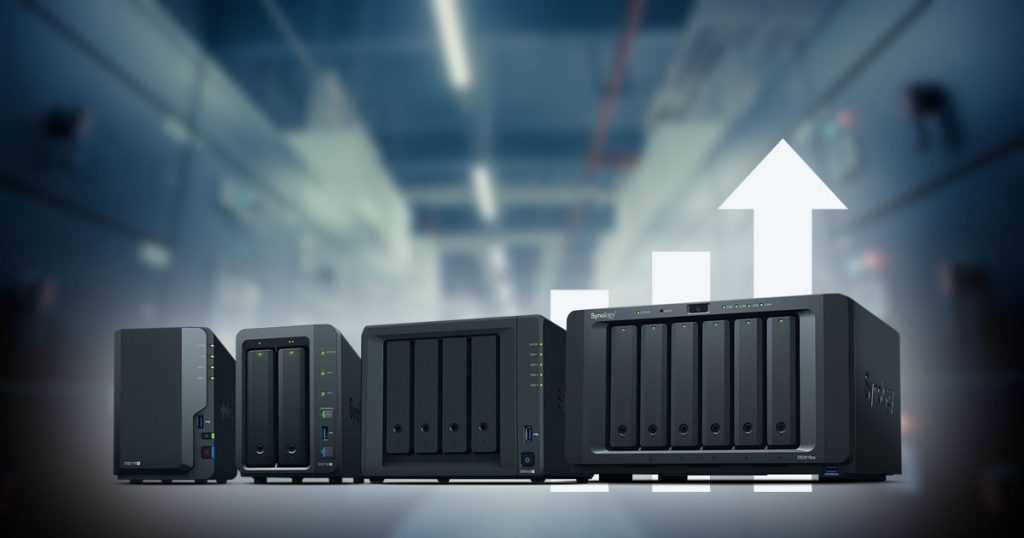
Synology NAS RAID Array Data Recovery: FixmyData Experts Can Retrieve Complete Files
Synology products are perfect for companies using traditional RAID arrays and storage pools. In contrast to RAID, which consists of a single type of hard drive, storage pools may contain hundreds of different drives, offering massive storage space for comprehensive data backups or media processing. Usually, storage pools are used by large companies.
Powerful and trustworthy Synology Network Attached Storage still has one weakness: since they utilize the advantages of RAID technology for managing networks, they also share common RAID failures. Therefore, careless RAID reconfiguration, lost RAID partitions, or faulty controllers can lead to serious issues with critical data accessibility.
Fortunately, FixmyData has enough solutions to recover every single piece of complete data from failed Synology NAS devices. Combining high-tech and over 35 years of experience, FixmyData experts can develop case-specific tools and software as needed.
At the same time, the company does not outsource projects and only charges for successfully recovered files, making FixmyData's services affordable for both business users and individuals.
Data Recovery Services for Synology NAS Devices
Data loss can be a distressing experience for any individual or organization, especially when it involves critical data stored on a Synology NAS (Network Attached Storage) device. Fortunately, FixmyData offers services specifically designed to recover lost data from Synology NAS devices.
Understanding Data Loss on Synology NAS
Data loss on Synology NAS can occur due to various reasons, such as accidental deletion, hardware failure, file system corruption, power outages, natural disasters, or user error. Regardless of the cause, it is crucial to act quickly and seek professional assistance to maximize the chances of successful data recovery.
Choosing a Reliable Data Recovery Service
When selecting a data recovery service for your Synology NAS, it is essential to choose a reputable and experienced provider. Consider the following factors when making your decision:
- Expertise: Ensure that the data recovery service has specific expertise in handling Synology NAS devices. Familiarity with the Synology DiskStation Manager (DSM) operating system and its file systems is crucial for successful recovery.
- Track Record: Look for a service provider with a proven track record of successful data recovery from Synology NAS devices. Customer testimonials and reviews can provide valuable insights into their reputation and reliability.
- Data Confidentiality: Ensure that the service provider follows strict confidentiality protocols and takes measures to protect your sensitive data throughout the recovery process. Non-disclosure agreements are typically signed to safeguard your privacy.
- Evaluation Process: Inquire about the service provider's evaluation process. A professional data recovery service will conduct a thorough assessment of the damaged NAS device to determine the extent of data loss and provide a detailed analysis.
- Data Recovery Techniques: Understand the techniques and tools used by the service provider for Synology NAS data recovery. They should be able to utilize specialized equipment and employ industry-standard methods to maximize the chances of successful recovery.
- Pricing and Turnaround Time: Discuss the pricing structure and expected turnaround time for the data recovery process. While cost is an important consideration, prioritize a service provider that focuses on successful recovery rather than offering unrealistically low prices.
Steps in the Synology NAS Data Recovery Process
If you choose FixmyData's service, we will guide you through the data recovery process for your Synology NAS device. The following steps are typically involved:
1. Initial Consultation and Assessment
FixmyData will gather information about the data loss incident, including your Synology NAS model, the nature of the problem, and any error messages encountered. We may provide instructions for safely shipping the NAS device to our facilities for evaluation.
2. Evaluation and Analysis
Upon receiving your NAS device, FixmyData experts will conduct a thorough evaluation to assess the extent of data loss and identify the root cause. We may need to repair or replace faulty hardware components before proceeding with the recovery process.
3. Data Recovery Attempt
Using specialized tools and techniques, FixmyData's service will attempt to retrieve the lost data from your Synology NAS. We will work meticulously to recover as much data as possible, employing various strategies such as logical recovery, file carving, or rebuilding the RAID array if applicable.
4. Data Verification and Transfer
After successful RAID data recovery, the service provider will verify the integrity and completeness of the recovered data. They may provide you with a list of recovered files for review and validation. Once you confirm the accuracy of the data, they will securely transfer the recovered files to a suitable storage medium of your choice.
5. Return of Recovered Data
FixmyData will securely package and return the recovered data to you, ensuring its confidentiality and protection during transit. We may also provide guidance on how to restore the data to your Synology NAS device to ensure a smooth recovery process.
Preventing Future Data Loss
While data recovery services can help retrieve lost data, it is always advisable to implement proactive measures to prevent data loss in the first place. Consider the following best practices for maintaining data integrity on your Synology NAS:
- Regularly back up your data to external storage devices or cloud-based backup services.
- Implement RAID configurations to provide redundancy and protect against drive failures.
- Keep your Synology NAS firmware and software up to date to benefit from security patches and performance improvements.
- Invest in a reliable uninterruptible power supply to protect your NAS from power surges and outages.
- Enable data scrubbing and SMART (Self-Monitoring, Analysis, and Reporting Technology) to identify and address potential disk issues.
- Implement robust user access controls and regularly review and update user permissions to prevent unauthorized access and accidental deletions.
By following these practices, you can minimize the risk of data loss and ensure the long-term integrity and availability of your valuable data.
Remember, when faced with data loss, it is crucial to remain calm and seek professional assistance from a trusted data recovery service (such as FixmyData) that specializes in Synology NAS devices. Their expertise and advanced recovery techniques can significantly increase the chances of successful data retrieval and minimize the impact of data loss on your personal or business operations.
Latest Publications
Ransomware data rescue: in-depth analysis and professional recovery strategies
Read more..
Data recovery technology frontier: a comprehensive solution from physical failure to logical repair
Read more..
Server RAID data recovery: the last line of defense guarding enterprise core data
Read more..